



Your updates.
Your next move.

Manage supported application updates on Windows 11. See what needs attention, decide what to update and check the installed version afterwards. Windows operating-system updates are a separate, experimental beta capability.

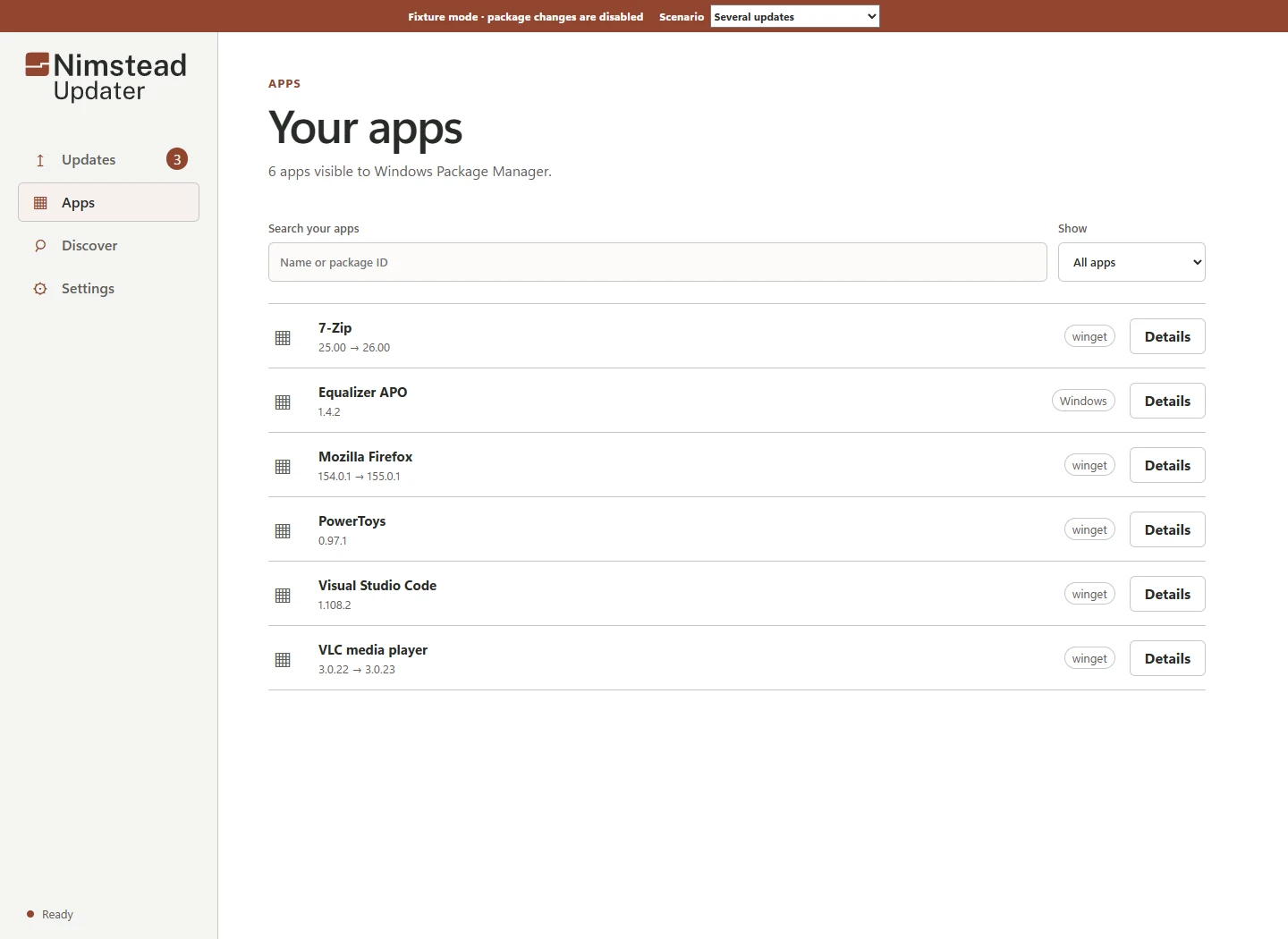
Nimstead Updater's Apps view, with app inventory, installed versions and update controls in a safe sample fixtureNimstead Updater's Apps view in dark mode, with app inventory, installed versions and update controls in a safe sample fixture
Actual development interface, captured 2 October 2026. Sample data; not a live scan. View full-size screenshot

A considered Windows experience

One place to look.
Room to decide.

WinGet-backed app updates and Windows Update have their own coverage and results. Updater keeps those differences visible, so a failed check in one place doesn’t become an “all clear”.

Clarity, at every step

A result should
tell you something.

Explore the difference between an update running and knowing what happened.

Understanding an updateExample

Ready to review

An update is available

Example application · 2.4 → 2.5

Your decision comes first.

A clear starting point.

See the installed version, the available version and the source. An available update is an invitation to review, not permission to install.

How to read update results
Understanding an updateExample

Verification pending

Installer finished

Installed version has not yet been confirmed.

Recheck the evidence before calling it complete.

Finished isn’t always verified.

The installer has finished. That alone does not prove the new version is present. Keeping the two results separate makes the uncertainty visible.

How to read update results
Understanding an updateExample

Version confirmed

Expected version found

Example application · installed version 2.5

A result you can understand.

Confidence with a reason.

A fresh version check confirms the expected version. Now there is evidence behind the result, rather than a green tick based on an installer exit code.

How to read update results
Understanding an updateExample

Needs another check

Could not confirm the version

Previous information may be out of date.

Rechecking is different from reinstalling.

Uncertainty stays visible.

If a check cannot finish, the last known state is not a fresh result. The useful next step is to check again, not silently run the installer again.

How to read update results

Interactive explanation with example data. Recreated for this website, not an application screenshot. No software is checked or changed.

Control before automation

A choice,
not a surprise.

Manual review is the starting point. Optional automatic app updates need explicit consent, and Updater must remain open or in the system tray.

Understand the controls

A few useful answers.

What does Updater need?

The current beta targets Windows 11 and requires WinGet 1.29.290 or later for its app-management path. The experimental Store path currently supports Store CLI previews 22607.1401.9.0 and 22608.1401.4.0. These are development requirements, not a promise of general release compatibility.

Can I download it now?

There is no verified signed public installer or stable release channel yet. We will link a public download here when one is available.

Does it update every application?

No. App coverage depends on supported WinGet packages and the update provider. Some software uses its own updater, may not be recognised or may require manual attention.

Will it restart my PC?

Updater does not automatically restart Windows. An update may report that a restart is required. Individual installers can still present their own prompts; review those before proceeding.

Do I need a Nimstead account?

The current Updater does not require a Nimstead account. Its documented design has no application telemetry, advertising or analytics. Microsoft and software providers may make their own network requests as part of updating.

Is Nimstead Business an Updater subscription?

No. Business is a separate platform in development for MSPs and IT/security teams, focused on patch assurance, vulnerability evidence and reporting.